OpenType features in web browsers
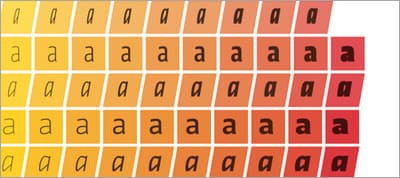
An overview of the current state of OpenType feature support in web browsers, based on the CSS syntax proposed by the latest draft of the CSS3 Fonts specification and the latest available version of each browser.

OpenType features in web browsers, introduction to Sass, quasi-qualified CSS selectors and more
An overview of the current state of OpenType feature support in web browsers, based on the CSS syntax proposed by the latest draft of the CSS3 Fonts specification and the latest available version of each browser.
Keep an eye on the fresh new series on Developer Drive and learn everything you need to know about Sass.

Chris Coyier talks about designing for email, type on a grid, centering and resets, opacity, border-radius on images and explains how you can easily spot bad CSS code. There’s (at least) a couple of really good advices in here.
One really basic way to make your CSS much nicer to work with is to avoid (over) qualified selectors. That is to say, it’s better to write .nav{} than ul.nav{}. Simply put, don’t (over) qualify your selectors. Ever.
Consider including unminified and fully commented CSS next to the minified version (you are minifying your stylesheets, aren’t you?). It can be very helpful for newcomers, since it will offer them a greater insight into your design and code choices.
Start using sprites if you’re not using them already (and not just for high density display optimizations). You’ll save network requests and overall stylesheet file-size.
Chris Coyier explains how many CSS files should you use in different project situations.
Happy trails,
Zoran Jambor
A set of beautiful, cute, and funny CSS stickers to showcase your love for CSS.