How to debug @starting-style at-rule in Chrome DevTools
Learn how to debug the Starting Style at-rule in Chrome DevTools.
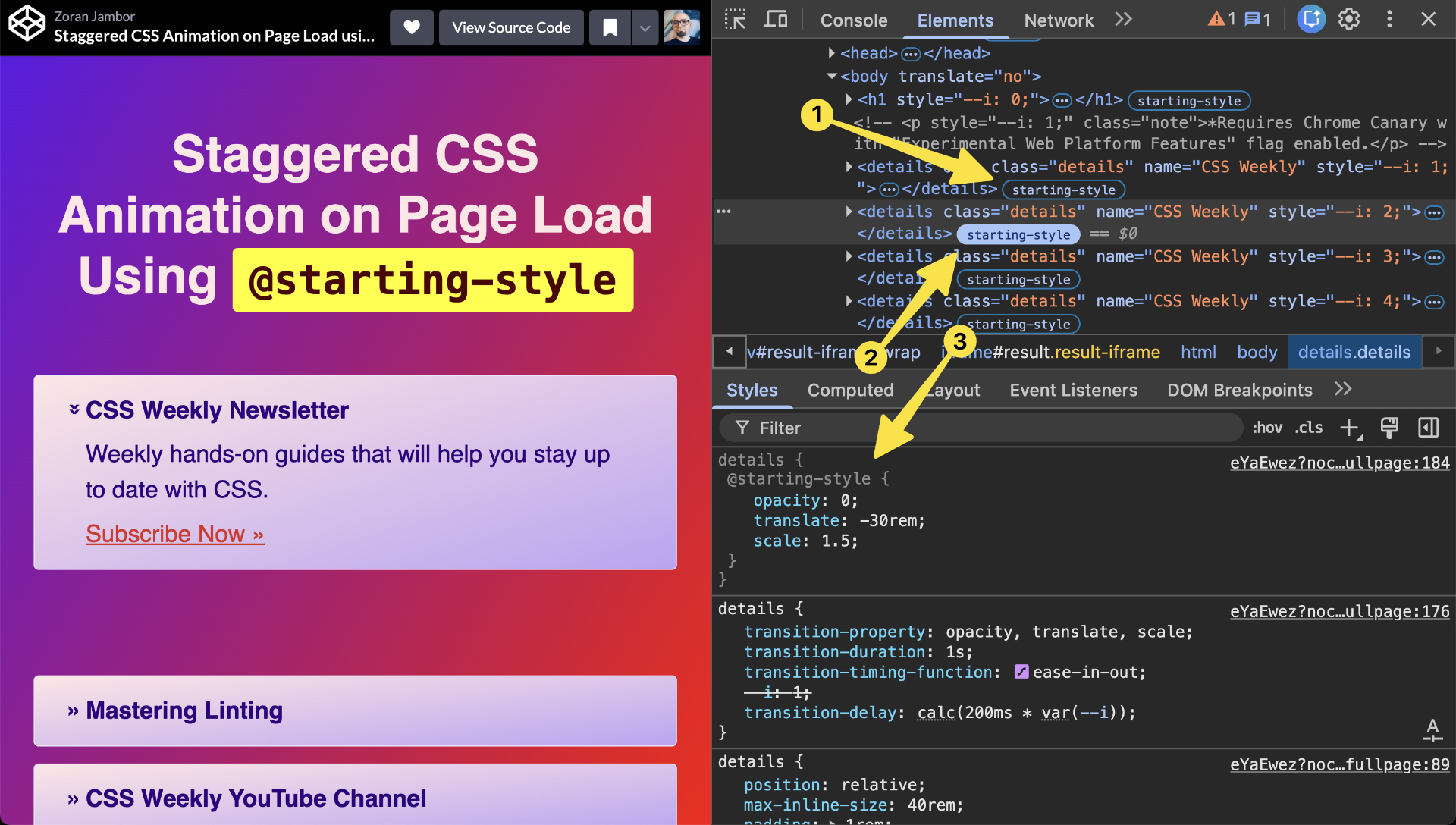
In Chrome 143+, you can find a label “starting-style” in the Elements Panel, on elements where the starting style at-rule is applied.
When you click it, the transition will be triggered, allowing you to see what it looks like, and the @starting-style rule will appear in the Styles pane, allowing you to easily tweak, edit, or debug its CSS.
Toggling the label in the Elements Panel again will trigger the transition with the changes from DevTools applied.